The new Broadcaster Dashboard is here...
We’re thrilled to announce the launch of the completely redesigned Broadcaster Dashboard — now live for all broadcasters on SermonAudio!
This isn’t just a cosmetic refresh. It’s a total rebuild from the ground up designed to prepare the entire platform for the upcoming Global Sermons launch this December. Every part of this new Dashboard represents a major technological leap forward both on the front-end and back-end. It’s hard to capture just how much work went into this release, but take our word for it: it was both hard and necessary.
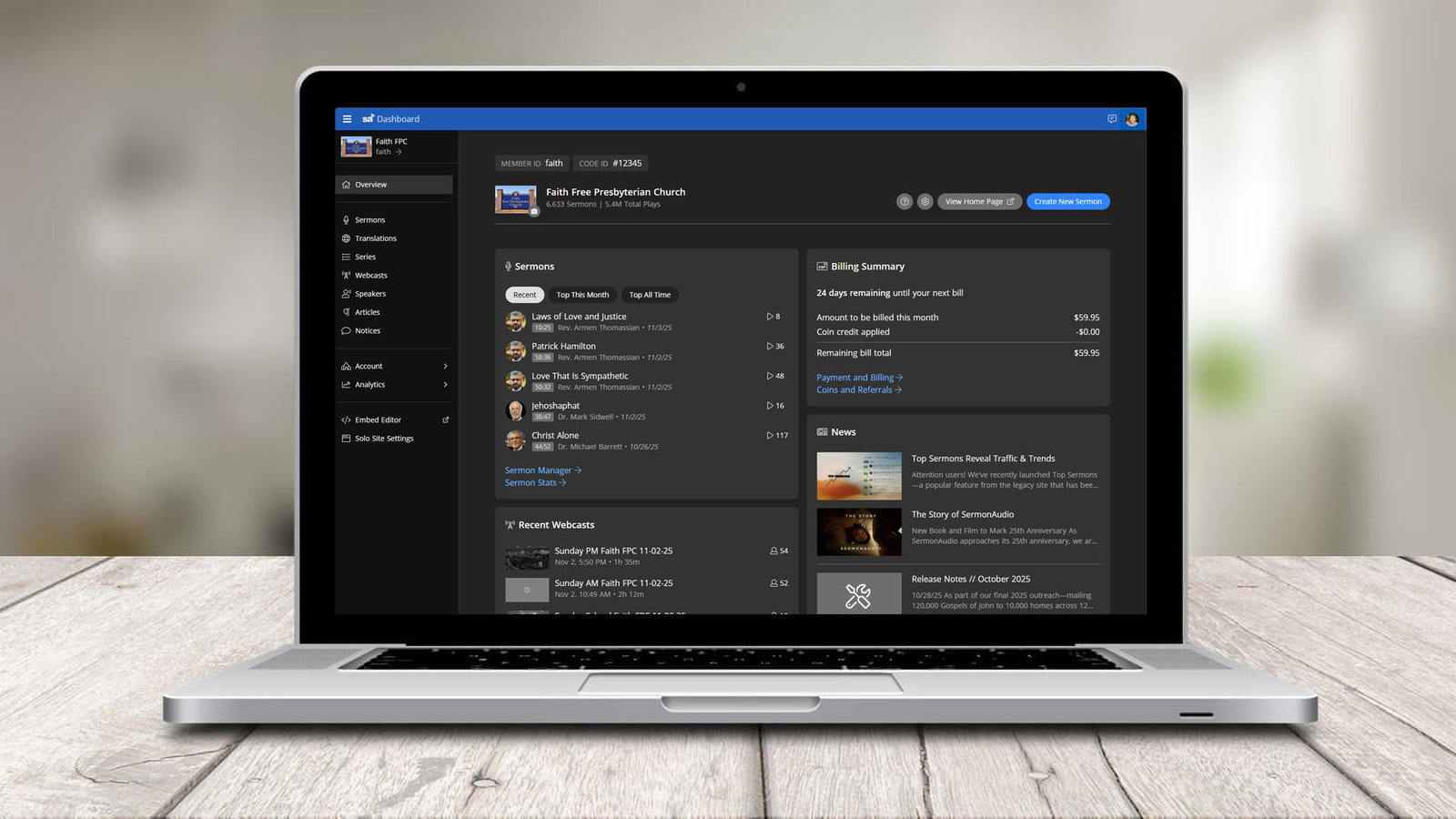
Rewritten from the inside out.
Every component has been rewritten using modern frameworks and new technologies for maximum performance. Pages load faster, transitions feel smoother, the screen size is better utilized, and everything just works better. It’s powered by the same technology that drives our main SermonAudio website — ensuring consistency, speed, and reliability across the entire platform.
This isn’t a new coat of paint — it’s a brand-new engine under the hood.
100% mobile-friendly.
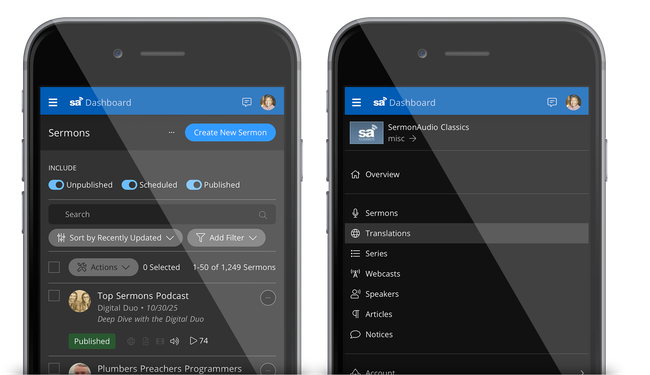
Whether you’re updating sermons from your laptop, tablet, or phone, the new Dashboard is fully mobile-optimized. The page dynamically adapts to your device, so you can manage your sermons, check stats, write articles, and broadcast from anywhere — even on the go.
Localization supported.
The new Dashboard has also been built with full localization support baked in. This means the same tools used on the main website to view the page in different languages are used on the Dashboard as well. We're constantly expanding our language reach with the interface so if we're missing your language, reach out to us!
Beautiful dark mode.
You asked for it, and it’s here! The entire interface now supports Dark Mode, offering a clean, comfortable experience for those long hours of sermon content management, transcript editing, or article writing.
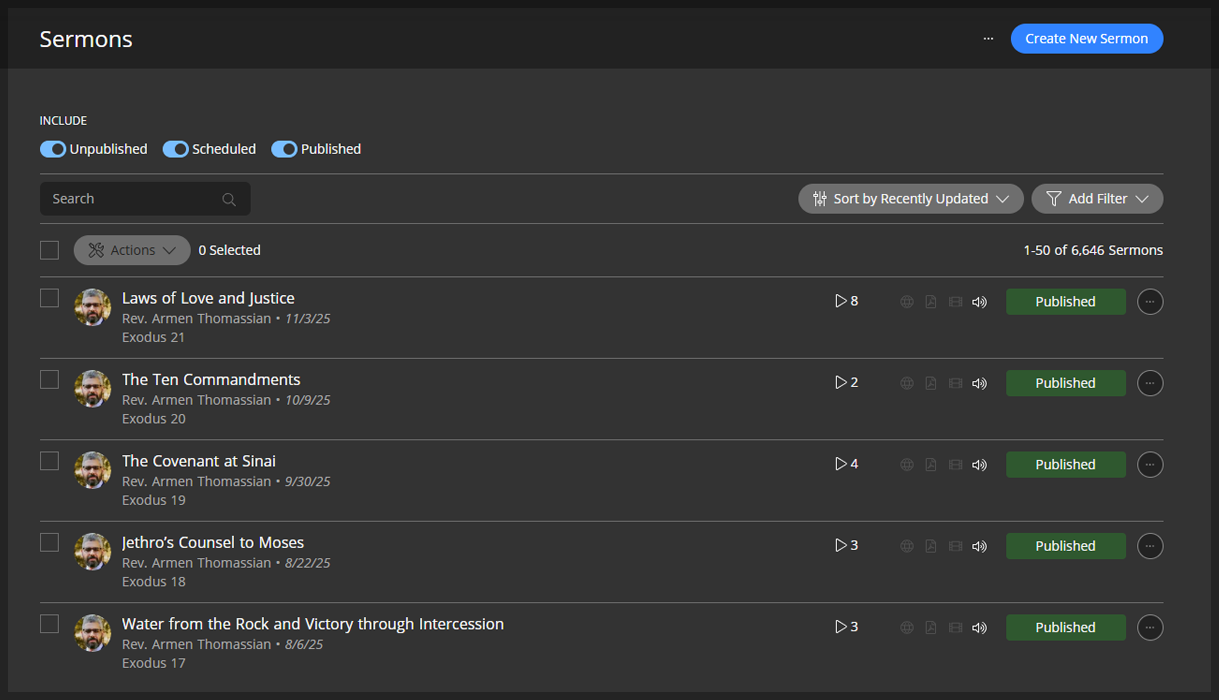
A new home for translators.
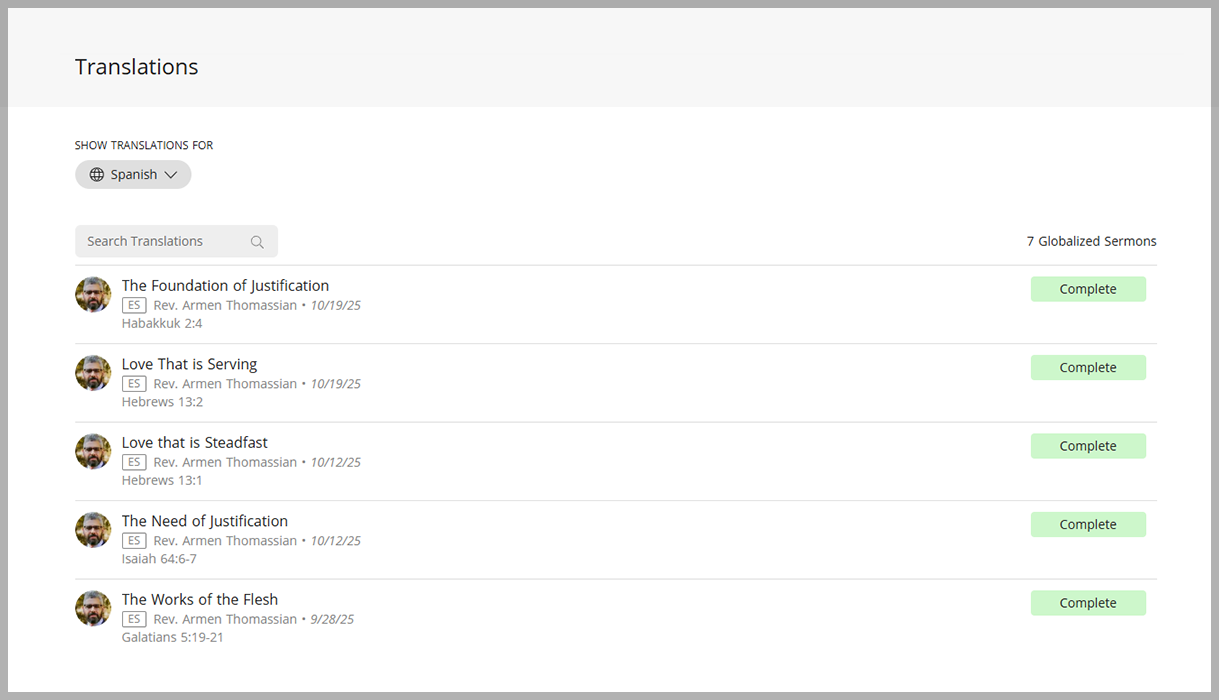
The new Dashboard also includes a dedicated Translator Interface. This allows outside translators to be invited with their own User ID to securely log in as translators, with access to a specialized workspace designed just for them.
Translators can review, edit, and approve sermon translations directly within the system helping ensure accuracy with the automated translations. Each translator works independently within their own interface bringing global collaboration to a whole new level!
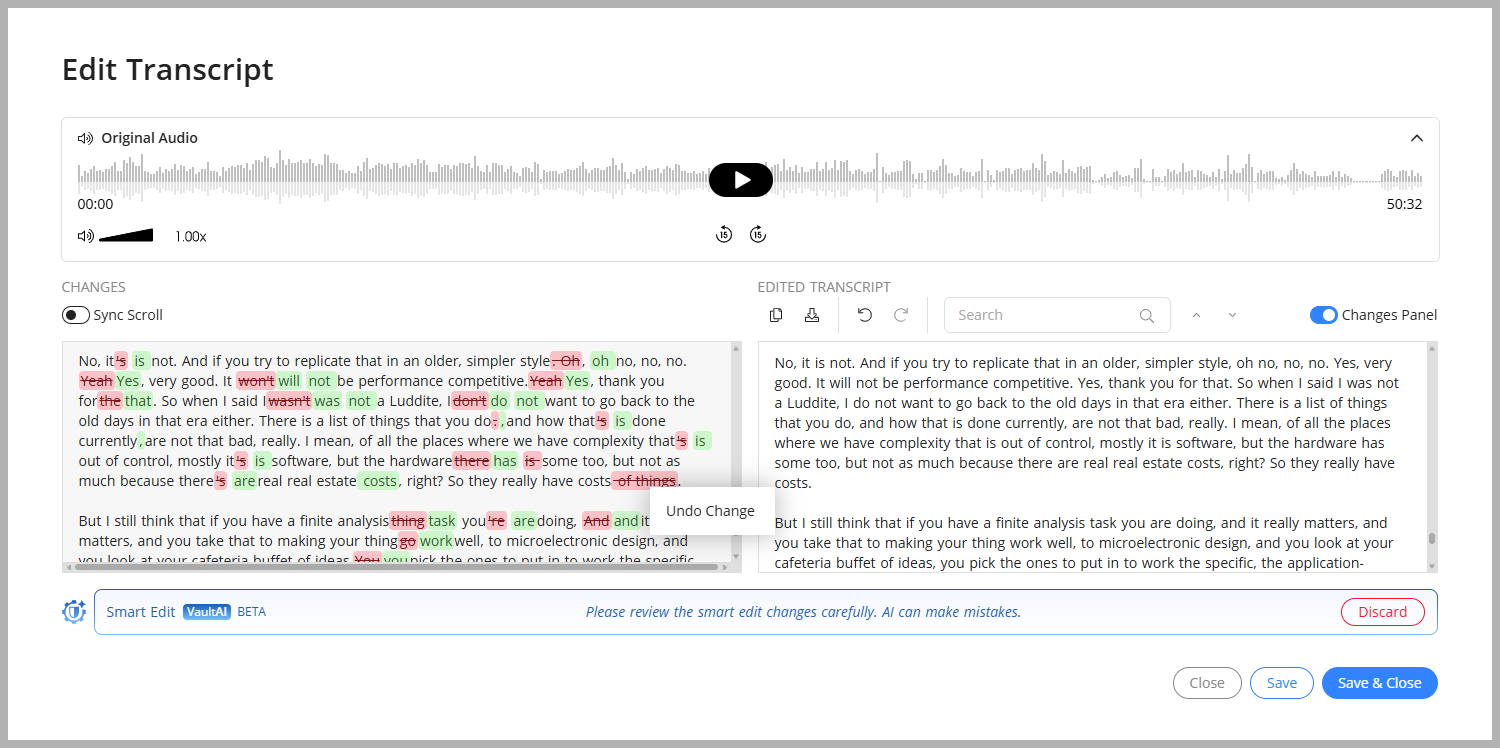
Vault AI to summarize, transcribe, and smart edit transcripts.
For some time now, we have been using our in-house cluster of GPUs in conjunction with our transcription work and audiobook work. The new Dashboard makes even greater use of our in-house Vault AI, introducing powerful new tools like Smart Edit — a feature that intelligently refines transcripts by removing sentence fragments, fixing subject-verb disagreements, eliminating repetitions, and smooths out those little faux pas that naturally occur when preaching extemporaneously. It even works to flatten idioms into their core meanings ensuring the message is clear, precise, and faithful to your original intent.
Smart Edit process will be essential for achieving the highest-quality translations in our upcoming Global Sermons tool. But it’s not just about translation. It’s a powerful tool in its own right—ideal for preparing polished, publication-ready sermon texts, whether for print, study, or archival purposes. It’s all built right into the new Dashboard and it’s powerful!
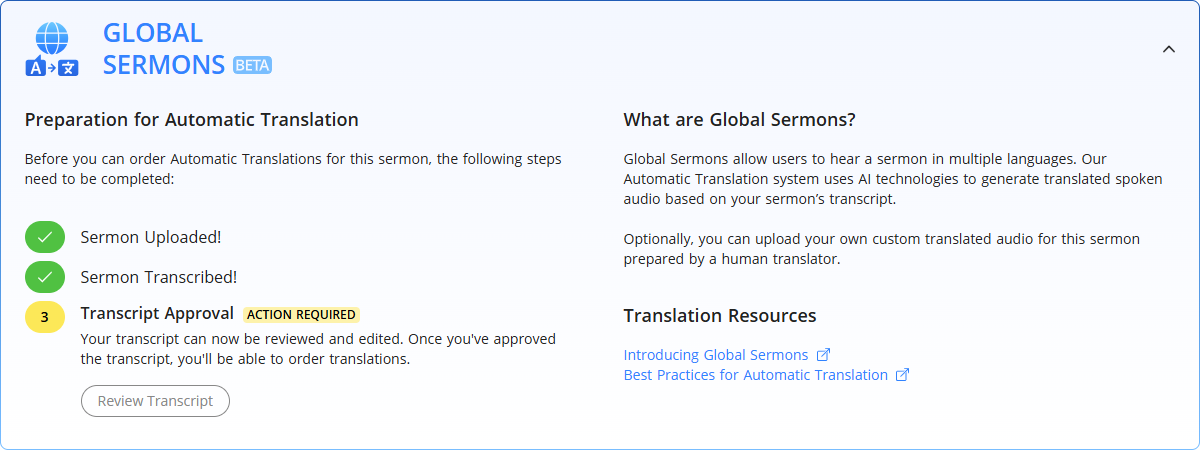
Preparing for Global Sermons.
As we approach the December launch of Global Sermons, every update to the SermonAudio platform is made with one purpose: to equip broadcasters to reach the world. This new Dashboard is a key milestone in that journey — making stronger tools to help churches manage their growing content on multiple devices and with increasing options.
Try it today! Log in to your account and experience the new Broadcaster Dashboard. It’s faster. It’s modern. It’s global.
Take a moment to watch the LEARN video below to get a quick overview of the new Broadcaster Dashboard. Want to learn more? Check out our full collection of LEARN videos to help you get started.